

Introduction
This guide explains how to set up the@react-form-builder/components-google-map package with autocomplete functionality for
address fields.
Set up the Google Maps component with Autocomplete
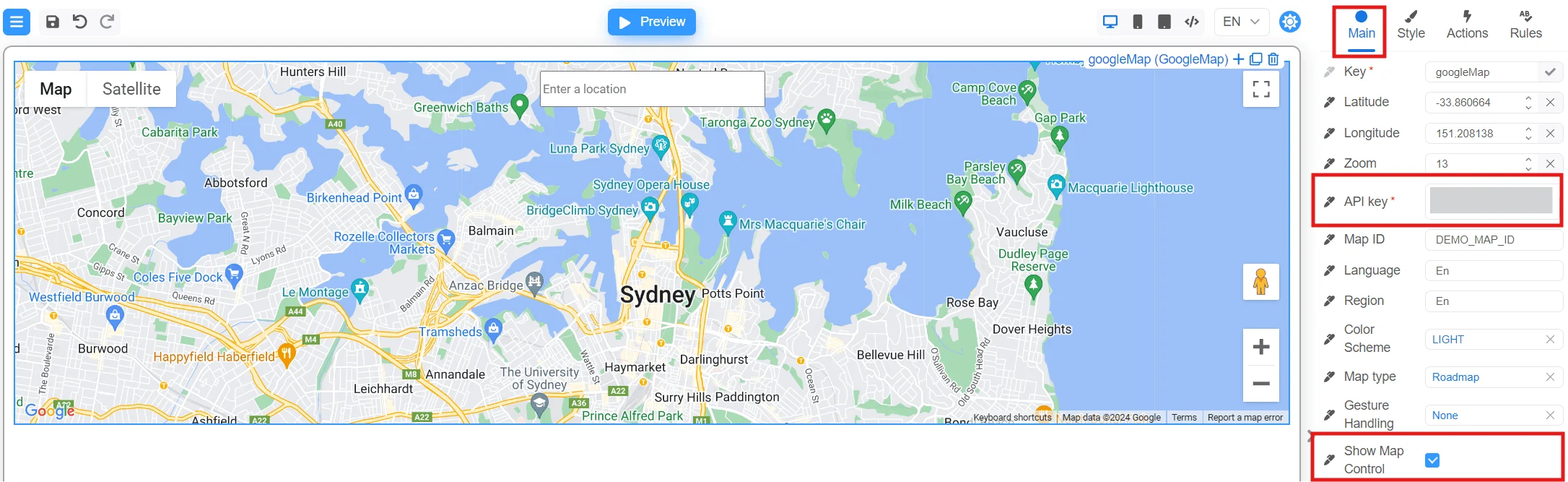
- In your form definition, add a
GoogleMapcomponent to display the map. - Fill the
API keyproperty with your Google Maps API key. - Enable the
Show Map Controlproperty to show map control options.
Add required input fields for address details
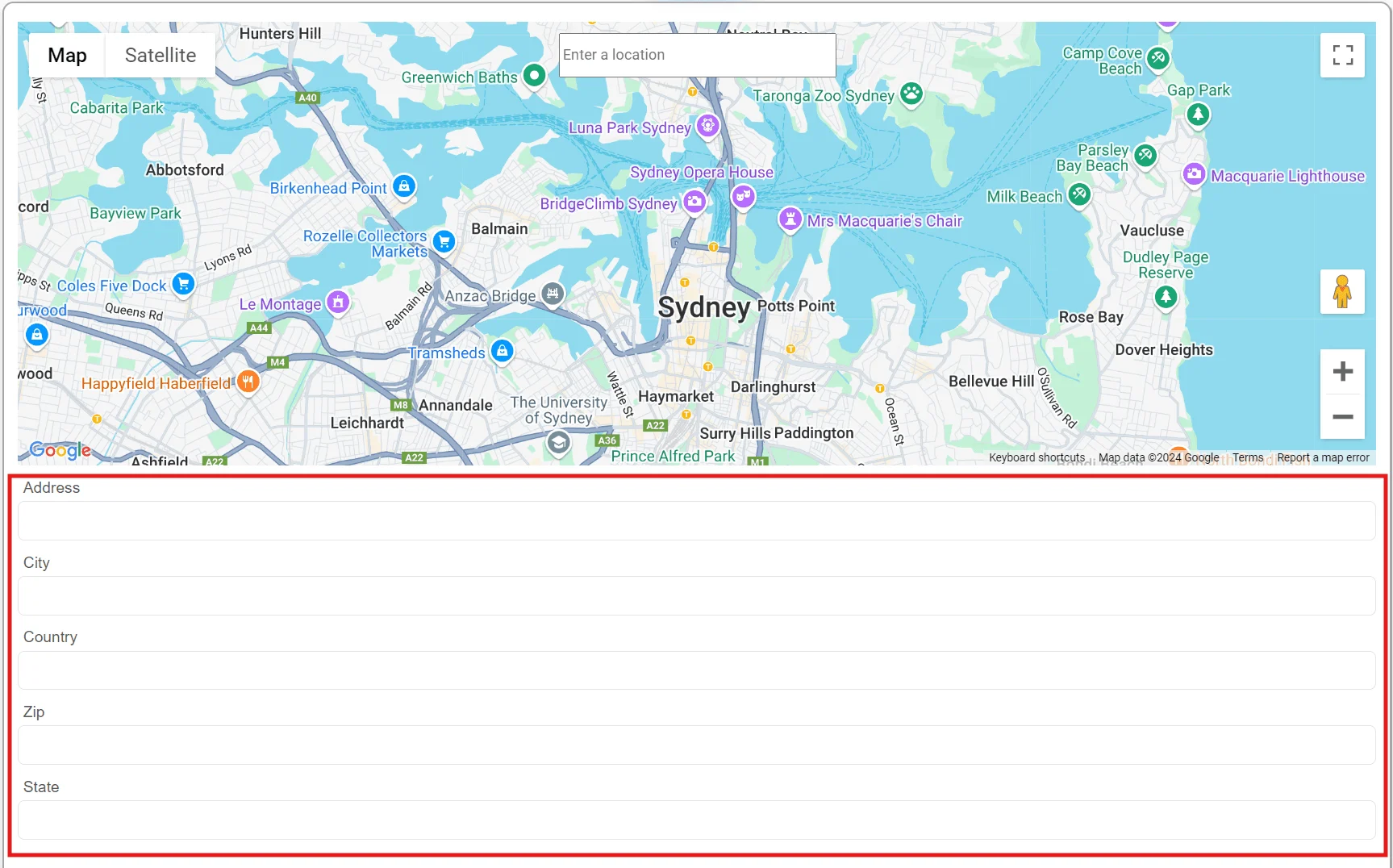
After creating theGoogleMap component, add only the necessary Input components for each part of the address that you need, such as
Address, City, Country, ZIP, and State.
Define an action to populate the address fields
- Select the map component in Designer.
- Go to the Actions tab.
- Create a new code action for the
onPlaceSelectevent. - Choose the newly created action to handle address population.
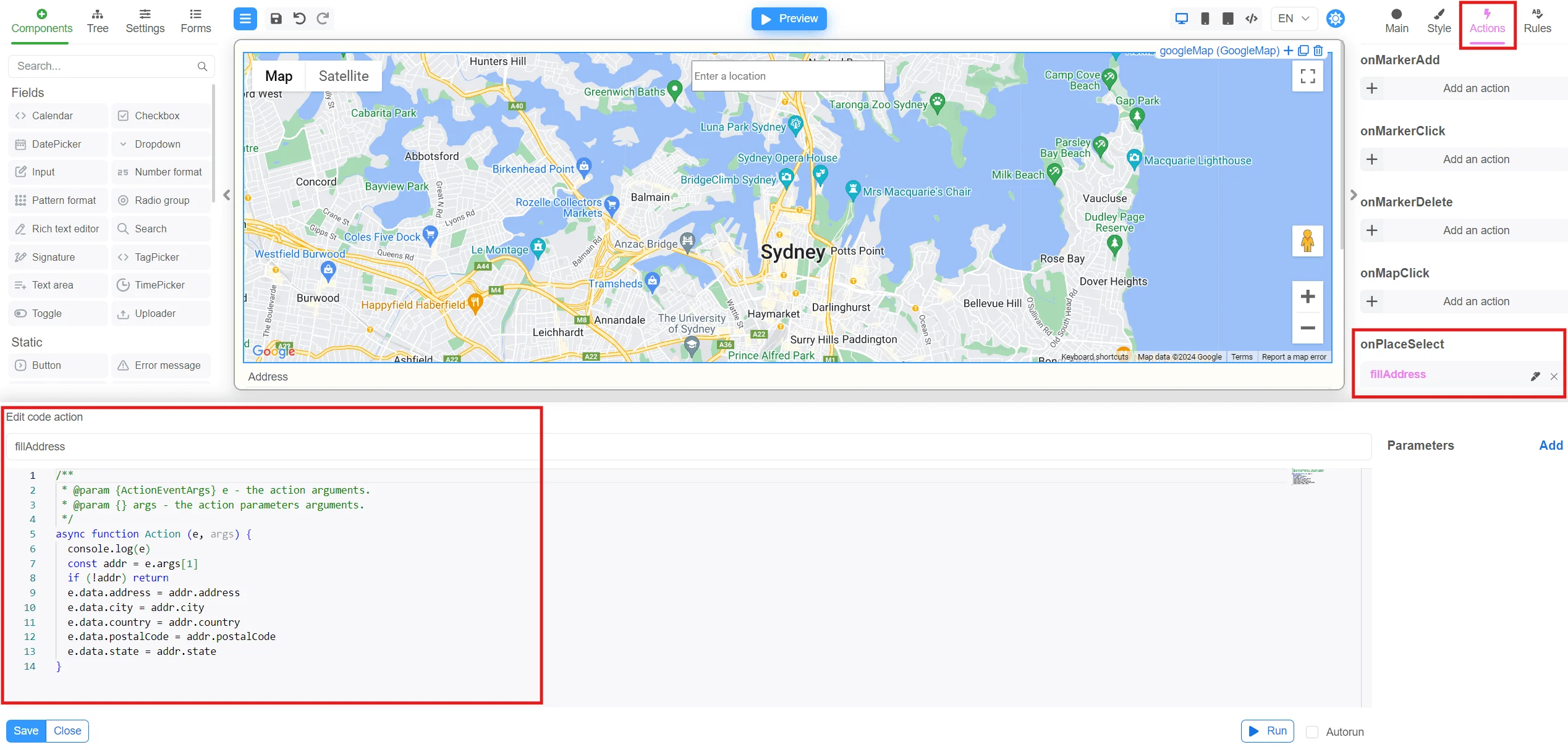
onPlaceSelect event from the GoogleMap component and updates the fields with the relevant address details.
Now, as you enter an address in the Google Maps search bar and make a selection, the input fields automatically populate with the correct
values for each part of the address.
Map JSON form example
MapForm.json
Next steps
- Explore all implementation guides: Guides hub
- Continue with runtime architecture: FormEngine Core
- Add visual form authoring: FormEngine Designer
- Integrate in your stack: Integrations
Official resources
- Runtime package: @react-form-builder/core on npm
- Designer package: @react-form-builder/designer on npm
- Source code and examples: FormEngine GitHub repository
- Commercial Designer plans: Pricing