

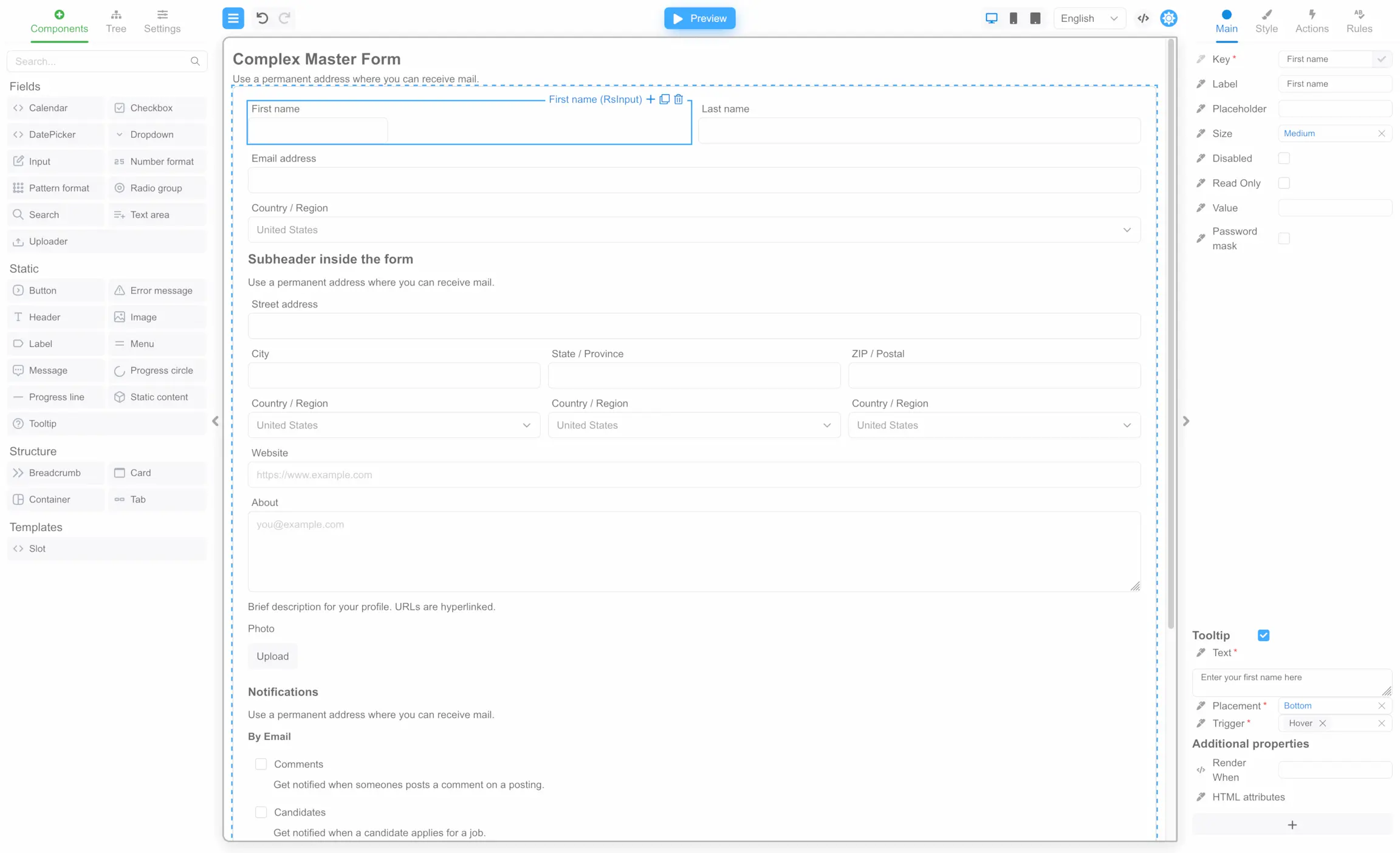
Designer
The form designer in Form Builder is represented by the React component FormBuilder. TheFormBuilder component is located in the
package @react-form-builder/designer.
To install the package in your application, use the command:
FormBuilder component into your application:
App.tsx
App.tsx
Viewer
The FormViewer component is responsible for displaying the form in Form Builder. The FormBuilder uses theFormViewer component to display
the form in the center panel.
To install the package in your application, use the command:
FormViewer component receives as input the properties described in the
type FormViewerProps.
Let’s look at an example of a simple application using a FormViewer component with a set of components from the React Suite library:
App.tsx
form variable that contains a JSON form string, there is one input field on the form. In the component
FormViewer is passed the mandatory view property, which is a
set of component metadata for the React Suite library. As well as
the getForm property, which accepts a function that returns
the value of the form variable.
CDN
You can immediately start using the FormEngine without using npm, bundlers and other frontend infrastructure by installing it via CDN. The following bundles are provided:- designer bundle: https://unpkg.com/@react-form-builder/designer-bundle@latest/dist/index.iife.js
- viewer bundle: https://unpkg.com/@react-form-builder/viewer-bundle@latest/dist/index.iife.js
- viewer premium bundle: https://unpkg.com/@react-form-builder/viewer-bundle-premium@latest/dist/index.iife.js
Using Designer bundle
Here’s an example of the usage:Using Viewer bundle
Here’s an example of the usage:Using Viewer premium bundle
Here’s an example of the usage:Next steps
- Getting Started Overview — Understand Designer packages and core features
- Using FormEngine Designer — Build your first form with the Designer component